- A DIY vending website on Wix or Base44 costs roughly $200 to $600 in year one, based on verified September 2026 plan prices plus an optional $84 business mailbox.
- Hiring a freelancer adds an estimated $300 to $2,000 for the build; Upwork puts the median web designer rate at $15 to $30 an hour.
- Agencies typically charge $3,000 to $10,000 or more for a custom site, per Wix's own 2026 cost guide, plus the platform fee.
- The hidden costs are domain renewal after the free first year, add-on apps, AI credits on Base44, and your own time: plan on a weekend for a DIY build.
- Most operators should build the site around machine three to five, after a Google Business Profile.
How much does a vending website cost? In 2026, a site you build yourself on Wix or Base44 runs roughly $200 to $600 for the first year, all in. Paying a freelancer to build it pushes year one to around $750 to $2,500. An agency starts in the low thousands and goes up fast. Those are estimates, built from plan prices we checked on each vendor's own page in September 2026, and the line items are below so you can redo the math for your situation.
Part of our complete guide: how to find vending machine locations.
Before spending anything, check the timing. A Google Business Profile is free and brings in most early enquiries. Our view, laid out in do vending machine businesses need a website, is that most operators build a site around machine three to five, once they have photos of their own installs and enough enquiries to justify a request form. Specialty routes, like PPE or micro markets, tend to need one earlier.
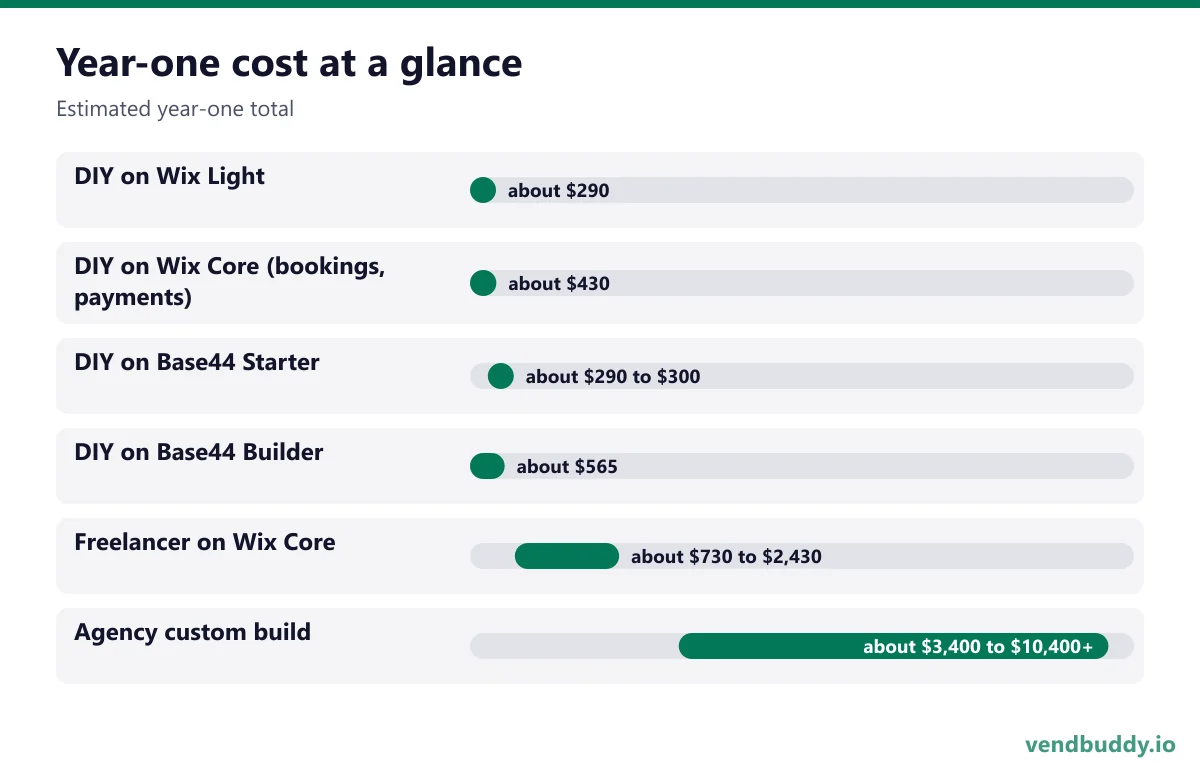
Year-one cost at a glance
| Path | Build cost | Platform + email, year one | Estimated year-one total |
|---|---|---|---|
| DIY on Wix Light | $0 (your time) | $204 + $84 | about $290 |
| DIY on Wix Core (bookings, payments) | $0 (your time) | $348 + $84 | about $430 |
| DIY on Base44 Starter | $0 (your time) | $192 + domain + $84 | about $290 to $300 |
| DIY on Base44 Builder | $0 (your time) | $480 + $84 | about $565 |
| Freelancer on Wix Core | $300 to $2,000 (estimate) | $348 + $84 | about $730 to $2,430 |
| Agency custom build | $3,000 to $10,000+ | $348 + $84 or more | about $3,400 to $10,400+ |
All totals are our estimates, rounded. Platform figures are twelve months of the yearly price. The $84 is one Google Workspace mailbox. Sources and assumptions for each line follow.
What does a DIY website builder cost?
Two builders make sense for most operators, and both publish prices on their own sites. As of September 2026, Wix's plan page lists Light at $17 a month, Core at $29, Business at $39 and Business Elite at $159, billed yearly and paid up front. Light covers a custom domain but not online payments; Core adds payments and scheduling. Wix also offers a free plan and a 14-day money-back guarantee on the first upgrade.
Base44's pricing page lists Starter at $16 a month, Builder at $40, Pro at $80 and Elite at $160, billed annually, with a free tier of 25 message credits a month. Starter lets you connect a domain you own. Builder adds a free domain for the first year and GitHub sync.
So the platform line is $192 to $480 for most small sites. Base44's price includes a monthly allowance of AI message credits, so heavy prompting can push you up a tier; manual edits in its visual editor do not use credits, according to its credits docs. On Wix, the flat fee covers unlimited manual editing.
Which one? If you want a polished brochure site with bookings, our Wix review explains why Wix is usually the easier start. If you want a request tracker or a commission calculator built in, read the Base44 review.
Picture the machines paying you while you sleep
That’s the real promise of vending — income that doesn’t cost you your time, and a life on your own terms. VendBuddy turns this guide into a step-by-step plan so you actually build it instead of just reading about it. Start free today.
Start building free →Domain and business email
Domain. Most Wix yearly plans include a voucher for a free domain for the first year, valid only on a new domain bought through Wix. Base44 includes a free first-year domain on Builder and above. On Base44 Starter, or if you already own a domain, you pay your registrar. Wix's cost guide says many extensions register for under $10 a year; a plain .com usually costs more than that, so check the renewal price before you buy. We budget $10 to $25 a year as an estimate.
The trap is year two. The free domain is free once. Renewal is billed at the registrar's normal rate, and it is easy to miss because it renews quietly.
Email. An address like [email protected] looks more serious to a property manager than a Gmail address. Google Workspace Business Starter is $7 per user per month on Google's pricing page as of September 2026, so $84 a year for one mailbox. Google shows an annual-commitment discount and occasional introductory offers too. Both Wix and Base44 resell Workspace inside their dashboards, but you can buy it directly.
What does a freelancer cost?
Upwork's cost guide puts the median web designer rate at $15 to $30 an hour, with basic one-page sites around $15 to $40+ an hour and full custom designs at $45 to $75+. It says to expect anywhere from 10 hours for a small project to several dozen for a larger custom design.
A five-page vending site on Wix is a small project. At 10 to 40 hours and $30 to $50 an hour for someone with a decent portfolio, the build lands at roughly $300 to $2,000 by our estimate. You still pay for the platform and email on top, and you should own the Wix or Base44 account yourself, not the freelancer.
A freelancer makes sense when your time is worth more on the route than in an editor, or when you want real copywriting and photography. It makes less sense if you will need them for every small change afterward. Ask for a 30-minute handover so you can edit text and swap photos yourself.
What does an agency cost?
Wix's own 2026 website cost guide says a web design agency typically charges $3,000 to $10,000 or more for a fully customized site, and lists professional services overall at $500 to $10,000+. Treat that as a vendor's estimate, but it matches what most small businesses report.
For a vending route, an agency is usually overkill. The pages a vending company needs are simple: services, the areas you cover, a request form, a property-manager FAQ, maybe a micro market page. An agency earns its fee when you run a multi-state operation with a sales team, paid ads and a need for custom integrations. Below that, the money usually does more as a machine deposit.
What does your own time cost?
DIY is not free; you pay in hours. Based on our experience, plan for:
- A weekend (8 to 15 hours) to build a five-page site on Wix from the AI builder or a template, including writing real copy.
- A few more evenings on Base44 if you are building a custom request form or calculator, since prompting and testing take longer.
- Two or three hours to set up SEO basics: titles, descriptions, Search Console and your Google Business Profile link. Our Wix SEO setup walkthrough covers this in order.
- About an hour a month after launch, mostly adding photos of new installs and answering requests.
If an hour on the route is worth $40 to you, a weekend build costs roughly $300 to $600 of your time. That is still cheaper than most freelancers, and you end up knowing how to change your own site.
Hidden costs to budget for
Add-on apps. Wix's App Market and Base44's integrations include paid extras. You rarely need them for a first site.
AI credits. On Base44, a month of heavy rebuilding can use up the Starter allowance of 100 message credits. Integration credits cover things like the email it sends you on each new request, about 1 credit per email per Base44's docs.
Photos. Your own phone photos of real installs beat stock photos, and they cost nothing. Budget for a photographer only if you are pitching high-end offices or hotels.
Plan upgrades. Moving from Wix Light to Core later to add bookings costs $12 a month more at yearly prices. Pick the plan for what you will use in the next twelve months, not someday.
Is a vending website worth the money?
A site does one job: it turns people who are already looking for a vending company into requests you can answer. It will not create demand by itself. Whether it pays for itself depends on your market and whether you follow up fast, so we will not promise a number. The math is modest though. At about $300 a year for a DIY site, a single extra placement over a whole year would likely cover it.
A site handles inbound. For outbound, the Lead Finder in VendBuddy surfaces property managers and offices to contact, and our cold email scripts for vending contracts land better when the signature links to a real site.
Which option should you start with?
For most operators, the cheapest sensible path is DIY on a builder with a free plan, so you can build the whole thing before paying. If you want a clean site with a request form and maybe a booking page, start on Wix's free plan and upgrade to Light or Core when you connect your domain. If the thing you care about most is a request tracker, a lead list or a commission calculator, try Base44 free and move to Starter when it works.
Hire a freelancer only after you know what you want the site to say; you will spend less. And if you are still weighing builders, our best website builder for a vending business roundup and Wix vs Base44 comparison cover the trade-offs. Either way, Wix and Base44 both let you start at $0, so the cheapest test is to build a draft this weekend.
Frequently Asked Questions
How much does a basic vending company website cost?
Built yourself on Wix or Base44, roughly $200 to $600 in year one by our estimate, using September 2026 plan prices: Wix Light $17 or Core $29 a month billed yearly, Base44 Starter $16 or Builder $40 a month billed annually, plus about $84 a year for a Google Workspace mailbox.
How much does a freelancer charge to build a small business website?
Upwork lists median web designer rates of $15 to $30 an hour and says small projects take around 10 hours while larger custom designs take several dozen. For a five-page service site, we estimate $300 to $2,000, plus the platform subscription.
Do I need to pay for a domain separately?
Not in year one on most Wix yearly plans or on Base44 Builder and above, which include a free domain for the first year. You pay the normal renewal rate from year two, and on Base44 Starter you buy or bring your own domain.
Is a free website plan enough for a vending business?
Not for launching. Free plans run on the builder's subdomain, and Base44's SEO docs say search engines treat apps on a Base44 subdomain as staging sites. Build on the free plan, then upgrade when you connect your own domain.
What is selling, which buildings say yes, and the numbers before you buy a machine. Free, confirm from your inbox, unsubscribe in one click. Refer one friend and get 25 VendBuddy credits.
General information, not legal, tax or financial advice. Rules change, so check the official source. Revenue and income figures are examples, not promises. See our terms.