- Start in Wix's SEO & GEO dashboard: the SEO Setup Checklist builds a plan from your business type and location.
- Add your business name and address first; Wix's help center says it then creates Local Business structured data for your homepage automatically.
- Write a unique title, meta description and short slug for every page from Pages & Menu, then SEO basics.
- Connect Google Search Console through Wix's built-in integration; Wix maintains and submits the XML sitemap for you.
- Build a service-area page only where you really serve customers and have something specific to say; Google's spam policies name city pages that funnel to one page as doorway abuse.
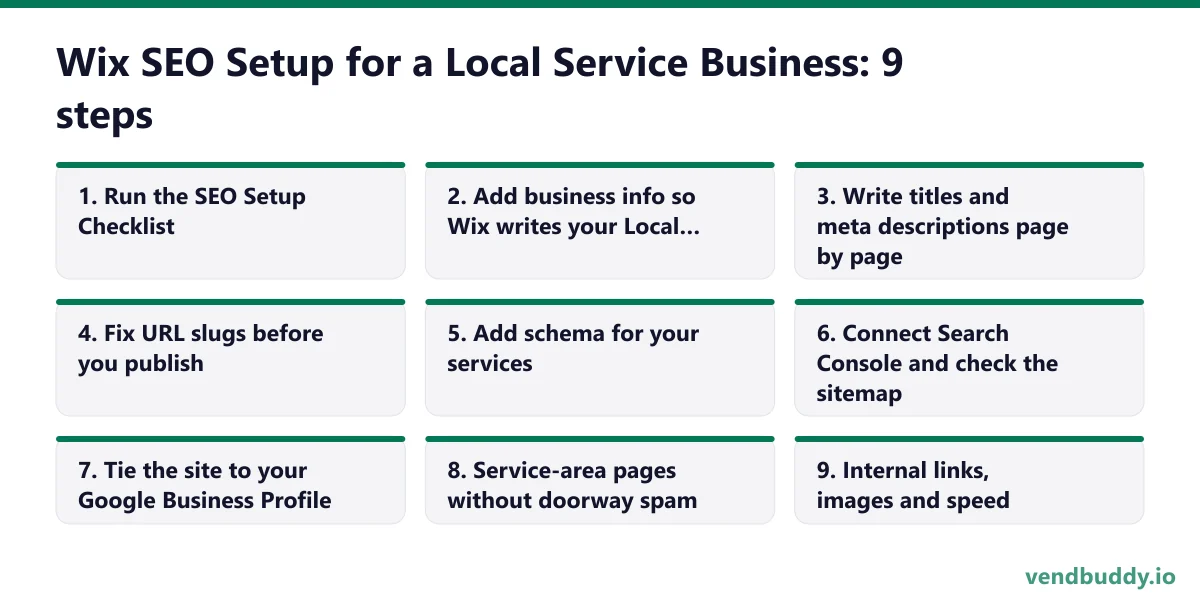
A good Wix SEO setup for a local service business takes about two to three hours, and the order matters more than any single setting. Fill in your business info, write real titles and descriptions, fix your URL slugs, connect Search Console and your Google Business Profile, then add service-area pages carefully. We use a vending company as the running example, but the steps are the same for a cleaner, a mobile mechanic or a pressure-washing crew.
Part of our complete guide: how to find vending machine locations.
Everything below was checked against Wix's own pages in September 2026: wix.com/seo and the Wix Help Center articles linked in each section. Wix renames menus now and then, so if a button has moved, search the Help Center for the feature name. If you have not picked a builder yet, our Wix review for small business covers plans and limits. You need a paid plan with your own domain before any of this pays off; Light is $17 a month billed yearly as of September 2026.
Step 1: Run the SEO Setup Checklist
Open your site dashboard and go to SEO & GEO. Wix's SEO page describes a personalized SEO Setup Checklist that builds a plan from your business type, location and keyword research through a Semrush integration, and walks you through getting indexed on Google. Run it once, even if you plan to do most steps by hand. It catches the basics you might forget, like a homepage with no title.
Keep the keyword step simple for a local business. You are not trying to rank for "vending machines" nationally. You want "vending machine service [city]", "office vending [city]", "micro market [city]" and the near-identical searches property managers actually type.
Step 2: Add business info so Wix writes your Local Business schema
Wix's structured data help article says that when you add a business name and location to your site, Wix automatically creates Local Business markup for your homepage. That is the schema that tells Google your business name, address, phone and hours in machine-readable form, and it should match your Google Business Profile exactly.
So fill in business info completely and use the same name, address and phone number you use on Google. If you run a service-area business with no public office, follow the same rule you use on your Google Business Profile, and do not publish a home address you would not want customers visiting.
Picture the machines paying you while you sleep
That’s the real promise of vending — income that doesn’t cost you your time, and a life on your own terms. VendBuddy turns this guide into a step-by-step plan so you actually build it instead of just reading about it. Start free today.
Start building free →Step 3: Write titles and meta descriptions page by page
In the editor, open Pages & Menu, click the three-dot menu next to a page, and choose SEO basics. Wix's SEO FAQ says values you enter there override the defaults Wix provides. Wix also has an AI Meta Tag Creator that suggests titles and descriptions from your page content; use it for a first draft, then rewrite.
What good looks like for a five-page vending site:
| Page | Title tag | Meta description |
|---|---|---|
| Home | Vending Machine Service in Columbus, OH | Buckeye Vending | Free snack and drink machines for offices, apartments and warehouses in Columbus. We stock and service them weekly. Request a machine today. |
| Micro markets | Micro Markets for Columbus Offices | Buckeye Vending | Self-checkout micro markets for workplaces with 50+ people, with fresh food, card payments and weekly restocks. See how setup works. |
| Request a machine | Request a Vending Machine | Buckeye Vending | Tell us about your building and we will reply within one business day. Offices, apartments, gyms and warehouses in Columbus. |
Buckeye Vending is an illustrative name. Keep titles around 50 to 60 characters with the city in them, and write descriptions that say who you serve and what happens next. Every page gets its own. Two pages with the same title are telling Google they are the same page.
Step 4: Fix URL slugs before you publish
In the same SEO basics panel you can edit the URL slug. Short and literal wins: /micro-markets, /request-a-machine, /office-vending. Avoid slugs with dates or stuffed keywords.
If the site is already live and you change a slug, add a 301 redirect from the old address. Wix's SEO page describes a URL redirect manager that handles single redirects, groups of URLs, and bulk imports of up to 500 at once. A slug change without a redirect throws away whatever links and rankings the old URL had.
Step 5: Add schema for your services
The automatic Local Business markup covers your homepage. For a service page, you can add your own JSON-LD. Per Wix's help article: open Pages & Menu, choose the page, click SEO basics, go to the Advanced SEO tab, click Structured Data Markup, then Add New Markup. Wix accepts only JSON-LD, each markup must be under 7,000 characters, and you can add up to five per page.
A simple Service markup for a micro market page looks like this (swap in your details):
{
  "@context": "https://schema.org",
  "@type": "Service",
  "serviceType": "Micro market installation and service",
  "provider": { "@type": "LocalBusiness", "name": "Buckeye Vending", "telephone": "+1-614-555-0100" },
  "areaServed": [ { "@type": "City", "name": "Columbus" }, { "@type": "City", "name": "Dublin" } ]
}
Only mark up what is on the page. Wix's article repeats Google's rule that the information in your markup must appear on the page itself, and adding schema does not guarantee rich results. Test it with Google's Rich Results Test before you move on. Skip FAQ markup for rich results; the same article notes Google now shows FAQ rich results only for government and health sites.
Step 6: Connect Search Console and check the sitemap
Wix's SEO page says every site gets an XML sitemap that Wix creates, keeps up to date and submits to Google; you can view it at yourdomain.com/sitemap.xml. The Google Search Console integration verifies your domain and creates the property from the Wix dashboard, and it lets you inspect URLs and see search data without leaving Wix. Wix points to a Google case study reporting a 15% traffic increase for Wix users after those built-in features launched.
After connecting, inspect your homepage and your request page and ask Google to index them. Then leave it for two weeks. Search Console data is slow, and checking daily only makes you want to change things that are fine.
Step 7: Tie the site to your Google Business Profile
For a local service business, the Google Business Profile usually brings more calls than the website does, and the two should point at each other. Wix's SEO page describes a Google Business Profile integration for creating or importing your profile, managing reviews and seeing analytics from the Wix dashboard.
Three things to get right. Set the profile's website link to your homepage, or to your request page if that converts better. Make the name, address and phone match the site exactly. And link to the profile from your site, near your reviews. Our Google Business Profile guide for vending operators covers categories, photos and reviews in detail.
Step 8: Service-area pages without doorway spam
This is where local sites get hurt. Google's spam policies define doorway abuse as pages created to rank for similar queries that lead users to less useful intermediate pages, and they list "pages targeted at specific regions or cities that funnel users to one page" as an example.
We learned this the hard way. vendbuddy.io once published 613 templated city pages that swapped the city name and little else, and Google treated them as thin. Removing them was the fix. For your Wix site, the rule we follow now is simple: build a city or area page only where you actually service customers and can say something specific. For a vending operator that means the building types you serve there, a photo of a real install, the restock day, and maybe a short quote from a property manager. If you cannot write three specific sentences about an area, list it on your main Locations page instead.
One strong Locations page with a list of the cities you cover beats twenty thin ones. Add standalone pages as you earn them.
Step 9: Internal links, images and speed
Link every service page to the request page, and link the request page back to your main services. Put a "Request a machine" button in the header so it is one tap from anywhere. Wix's SEO page says images are automatically compressed, resized and converted to WebP, so you mostly need to upload sensible files and add alt text that describes the photo, such as "combo snack and drink machine in a Columbus warehouse break room."
Wix also has an AI Visibility tool that shows how your site is mentioned in ChatGPT, Gemini and Perplexity. Check it once you have a few pages live. Clear, specific pages tend to get picked up there the same way they rank on Google.
What to do after setup, and whether Wix is the right tool
After the first pass, SEO on a local site is mostly routine: add photos of new installs, ask happy locations for Google reviews, and add a page when you start offering something new, like micro markets. Our vending website SEO guide covers content ideas, and what to put on a vending company website covers the page list. A site brings inbound; for outbound, the Lead Finder in VendBuddy finds property managers and offices to contact.
If you do not have a site yet, build it on Wix's free plan first and run through these steps before you connect your domain, so the site launches clean. Wix is the right tool when you want these SEO controls without touching code. If what you need is a request tracker or a quote calculator, Base44, which Wix bought in June 2025 and which pays us a commission too, handles that better, and its SEO dashboard covers the basics. Our Wix vs Base44 comparison and vending website cost breakdown help you decide, and when you are ready, upgrading to a Wix plan comes with a 14-day money-back guarantee on the first upgrade.
Frequently Asked Questions
Does Wix add Local Business schema automatically?
Yes, for the homepage. Wix's help center says that when you add a business name and location to your site, Wix automatically creates Local Business markup for your homepage. For other pages you can add your own JSON-LD, up to five markups per page, each under 7,000 characters.
Does Wix submit my sitemap to Google?
Yes. Wix says it creates and maintains your XML sitemap and submits it to Google. You can also connect Google Search Console from the Wix dashboard, which verifies your domain and lets you inspect URLs and view search data.
Should I make a page for every city I serve?
Only for cities where you actually serve customers and can write something specific, like the building types you serve there and photos of real installs. Google's spam policies list city or region pages that funnel users to one page as doorway abuse.
Which Wix plan do I need for SEO?
SEO tools are built into every Wix site, but you need a paid plan to connect your own domain, which is what you want indexed. As of September 2026, Light is $17 a month billed yearly; Core at $29 adds payments and scheduling.
What is selling, which buildings say yes, and the numbers before you buy a machine. Free, confirm from your inbox, unsubscribe in one click. Refer one friend and get 25 VendBuddy credits.
General information, not legal, tax or financial advice. Rules change, so check the official source. Revenue and income figures are examples, not promises. See our terms.