- A good request-a-machine form asks for business type, headcount, hours, address and a contact, and nothing more.
- Base44 builds the form, the database table behind it and an admin lead list from plain-English prompts; its free plan (25 message credits a month) is enough to build and test.
- Lock the data down: anyone can submit, only you can read. Base44 sets these permission rules from a prompt and shows them per table.
- Email alerts use Base44's built-in SendEmail service at about 1 integration credit per email; emailing the person who submitted needs a paid plan and a verified custom domain.
- Put the form on a subdomain like request.yourdomain.com and link to it from your main site, with a short privacy note under the submit button.
A request-a-machine form is the one page on a vending website that turns a visitor into a lead. This tutorial builds one in Base44, the AI app builder, using prompts you can copy: the form fields, an email to you on every submission, and a simple lead list where you track each request from "new" to "installed." Plan on an evening to build it and another to test it.
Part of our complete guide: how to find vending machine locations.
Why Base44 for this piece rather than a plain form widget? Because it builds the database and the admin page along with the form, from one description. Base44 is owned by Wix since June 2025, and we earn a commission from both, so where Wix is the better fit we say so. If you do not have a site at all yet, start with our guide to what goes on a vending company website; the form is one page of that.
What should a request-a-machine form ask?
Every extra field costs you submissions, so ask only what you need to decide whether a location is worth a visit:
- Business type (office, apartment building, warehouse, gym, school, hotel, other). This tells you which machine and product mix to pitch.
- Approximate headcount or number of units. The single best predictor of volume.
- Hours the building is open, or shifts. A 24/7 warehouse and a 9-to-5 office are different placements.
- Street address, city and ZIP, so you can check it against your route.
- Contact name, role, email and phone. The role matters: a property manager can sign, a receptionist usually cannot.
- Optional: what they want (snacks, drinks, fresh food, micro market) and a free-text note.
Skip anything you would not act on, like budget or "how did you hear about us." You can ask on the phone.
Before you start: plan, visibility and domain
As of September 2026, Base44's pricing page lists a free plan with 25 message credits a month and up to 5 apps, and Starter at $16 a month billed annually, which adds your own domain. Build and test on free. You will likely need Starter to publish on your own domain.
Two settings matter for a public form. First, app visibility: Base44's access docs say Public apps can be opened by anyone with no sign-in, and Base44 usually suggests Public for landing-page style apps. A property manager should never have to create an account to request a machine. Second, prompting spends message credits (Base44's docs estimate about 0.5 for a small change and about 2 for a new module), while typing over text in the visual editor is free. Use prompts for structure and fix wording by hand.
Picture the machines paying you while you sleep
That’s the real promise of vending — income that doesn’t cost you your time, and a life on your own terms. VendBuddy turns this guide into a step-by-step plan so you actually build it instead of just reading about it. Start free today.
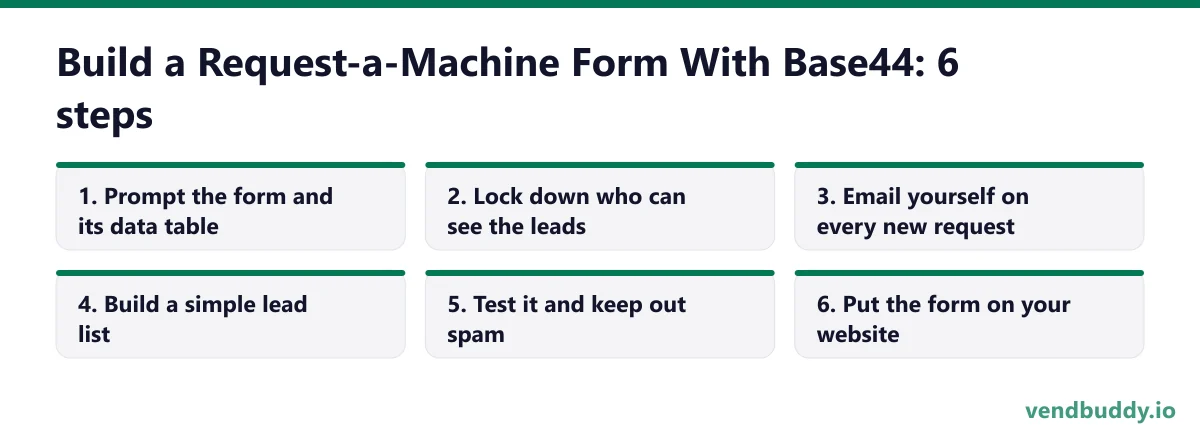
Start building free →Step 1: Prompt the form and its data table
Open Base44, start a new app, and paste this. Replace the bracketed parts.
Build a one-page "Request a vending machine" form for [Your Company], a vending operator serving [City and nearby areas].
Fields: business type (dropdown: office, apartment or condo building, warehouse or plant, gym, school, hotel, other), approximate headcount or units (number), hours open (text, e.g. "Mon-Fri 7am-6pm" or "24/7"), street address, city, ZIP, contact name, contact role (dropdown: property manager, office manager, owner, HR, other), email, phone, what they want (checkboxes: snacks, drinks, fresh food, micro market), notes (optional).
Required: business type, headcount, address, city, ZIP, contact name, email or phone.
Save each submission to a table called MachineRequest with a status field (new, contacted, site visit, installed, not a fit) defaulting to "new" and a created date.
After submitting, show: "Thanks. We reply within one business day."
Clean, mobile-first design with large tap targets. No login required.
Check the result on your phone first. Most requests come from someone standing in a break room. If a dropdown is hard to tap or the page scrolls sideways, say so in one short prompt.
Step 2: Lock down who can see the leads
This is the step people skip. Base44's data permissions docs say permissions are set up as you build, can be changed from a prompt, and can be reviewed per table under Dashboard, then Data, then Permissions. The rule types include "All Users," where anyone can act even without signing in, and "User Property Check," such as admins only. Send this:
Set permissions on MachineRequest: anyone, including visitors who are not signed in, can create a record. Only admins can read, update or delete records. Visitors must never see other people's submissions.Then open the table's Permissions page and confirm Create is open and Read, Update and Delete are admin-only. If a "Permission risks detected" banner appears, read it before accepting the fix. A form that lets anyone read every submission would leak your leads' phone numbers.
Step 3: Email yourself on every new request
Base44's email docs describe a built-in SendEmail integration that is preinstalled in every app with no API keys. On any plan, your app can email people who have signed up to it, which includes you as the owner. Each email uses about 1 integration credit, or about 2 from a custom sending domain.
When a new MachineRequest is submitted, send an email to me (the app owner) with the subject "New machine request: [business type], [headcount] people, [city]" and the full submission in the body, plus a link to the admin lead list.Submit a test request and confirm the email arrives, including in your spam folder. If it does not, Base44 says failed emails appear in the app logs with the reason.
Two limits to know. Emailing the person who filled out the form, like an automatic "we got your request" message, needs a paid plan and a verified custom domain on the app, per the same docs. And data-triggered automations, the Resend integration and external integrations are listed as Builder plan ($40 a month billed annually) and above. For one operator reading leads, the built-in email to yourself is enough.
Step 4: Build a simple lead list
Add an admin-only page called Leads that lists all MachineRequest records, newest first, with columns: created date, business type, headcount, city, contact name, role, phone, status. Let me filter by status and city, click a row to see full details, change the status from a dropdown, and add a private note. Add a button to export the list as CSV.Now you have a tiny CRM. Work it every morning: anything "new" gets a call or email the same business day. A request that sits for a week has usually signed with someone else. Move leads through contacted, site visit and installed, and mark "not a fit" honestly so your pipeline stays real.
Step 5: Test it and keep out spam
Submit five test requests from your phone and a laptop: one perfect, one with a missing phone number, one with a silly headcount like 0, one very long note, one from a friend's phone. Check that each saves, the required fields hold, and the email arrives. Then add a basic spam filter:
Add spam protection to the request form: a hidden honeypot field that real people will not see (reject any submission where it is filled), reject submissions sent less than 3 seconds after the page loads, and validate that the email and phone number look real. Show a friendly error, not a technical one.Publish, then run Base44's security scan from the dashboard if it is offered on your plan, and delete your test records.
Step 6: Put the form on your website
The cleanest setup is a subdomain. Base44's custom domain docs say you can connect a subdomain such as request.yourdomain.com, with an SSL certificate issued for it, while your main domain keeps serving your existing site. Custom domains start on Starter.
Then, on your main site, add a "Request a machine" button to the header, the home page and every service page, linking to the subdomain. That works whether the main site is on Wix, Squarespace or WordPress. If you want the form to sit inline on a page, most builders have an embed element; test it on a phone before relying on it, because embedded apps can be cramped on small screens.
If you have no main site yet, you can ask Base44 to build a short home page around the form, and that becomes your whole site for now. Our AI prompts for a vending website cover the other pages.
Add a privacy note
You are collecting names, phone numbers and business addresses, so tell people what you do with them. Under the submit button, a plain note works: "We use these details only to reply about vending service. We don't sell or share them. Email us to have your request deleted." Link it to a short privacy page. Then live up to it: do not add form leads to a newsletter without asking, keep the lead list admin-only, and delete requests when someone asks. Privacy rules vary by state and country; if you operate in a state with a consumer privacy law, check what it requires.
If you are not sure where to start, most people pull a free list of the businesses near them in the before they do anything else. Five contact reveals are free and there is no card, so it costs you a search and about ten minutes.
What to do with the leads, and where to build it
A form only catches people who already found you. Getting found is a Google Business Profile, a few real service pages and reviews, which we cover in inbound leads for a vending business. For the outbound side, the Lead Finder in VendBuddy surfaces property managers and offices to contact, and you can send them straight to the same form.
If this tutorial matches how you like to work, open a free Base44 app and paste the Step 1 prompt tonight; you will know within an hour whether it fits. If you would rather have a finished marketing site with a built-in form and no prompting, Wix Forms emails the site owner on every submission by default and works on every plan. Many operators pair them: a Wix site for the pages and a Base44 lead tracker behind the request button. Our Base44 review goes deeper on credits and limits.
Frequently Asked Questions
Can Base44 build a form that anyone can submit without logging in?
Yes. Base44 apps can be set to Public visibility, which its docs say anyone can open with no sign-in, and a table's Create permission can be set to All Users so visitors who are not signed in can submit. Keep Read, Update and Delete admin-only.
Does Base44 send an email when someone submits the form?
It can. The built-in SendEmail integration is preinstalled in every app and can email you, the owner, on each submission, at about 1 integration credit per email. Emailing the person who submitted needs a paid plan and a verified custom domain on the app.
What plan do I need for a request-a-machine form on Base44?
You can build and test on the free plan (25 message credits a month as of September 2026). To publish on your own domain or subdomain you need Starter, $16 a month billed annually. Automations and external email providers are on Builder and above.
Should the form live on my main site or a subdomain?
A subdomain like request.yourdomain.com is the simplest reliable setup. Base44 supports connecting subdomains with SSL while your main domain keeps serving your existing site, and you link to it from a Request a machine button on every page.
What is selling, which buildings say yes, and the numbers before you buy a machine. Free, confirm from your inbox, unsubscribe in one click. Refer one friend and get 25 VendBuddy credits.
General information, not legal, tax or financial advice. Rules change, so check the official source. Revenue and income figures are examples, not promises. See our terms.