- Many do — but it is the reader, never the machine. Apple Pay and Google Pay work only where the operator fitted an NFC-capable cashless reader.
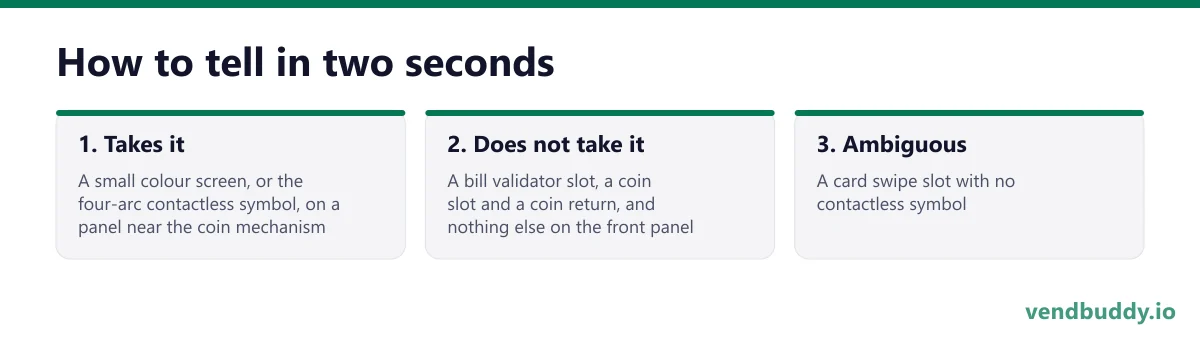
- How to tell in two seconds: a small screen or the four-arc contactless symbol near the payment area means yes. A bill slot and a coin return alone means cash only.
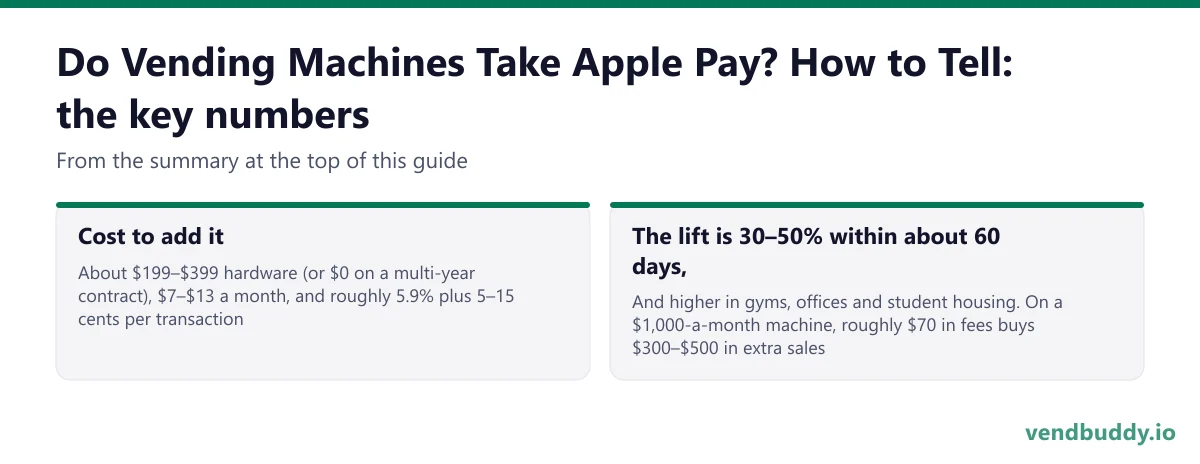
- Cost to add it: about $199–$399 hardware (or $0 on a multi-year contract), $7–$13 a month, and roughly 5.9% plus 5–15 cents per transaction.
- The lift is 30–50% within about 60 days, and higher in gyms, offices and student housing. On a $1,000-a-month machine, roughly $70 in fees buys $300–$500 in extra sales.
- Install is 15–30 minutes on an MDB machine. Older non-MDB machines need a converter board at roughly $120–$200 first.
Two people ask this and they want opposite things. Somebody standing in front of a machine with no cash in their pocket wants to know whether they are getting a drink. An operator pricing a purchase wants to know whether the machine will be invisible to half its customers. Same mechanism underneath, so here it is: what makes a machine take Apple Pay, how to tell at a glance, and what it costs to add.
Part of our complete guide: how much does a vending machine cost.
It is the reader, not the machine
A vending machine does not know what Apple Pay is. What it knows is that a payment device told it a purchase cleared, and then it turned a motor — that whole sequence is laid out in how vending machines actually work.
Apple Pay, Google Pay and a tapped contactless card are all the same thing to the machine: an NFC transaction handled by a cashless reader bolted into the payment bay. Every current reader from the major vendors supports NFC alongside EMV chip and magnetic stripe, because there is no meaningful hardware cost to including it. So the real question is never does this machine support Apple Pay. It is did the operator fit a reader.
That also answers the follow-up people ask: no, an old machine cannot be updated into taking tap. There is no software path. It is a hardware fitting, and if the machine predates MDB — the internal protocol readers speak to the machine over — it needs a converter board first.
How to tell in two seconds
- Takes it: a small colour screen, or the four-arc contactless symbol, on a panel near the coin mechanism. Current Nayax and Cantaloupe units are visually obvious once you know the shape.
- Does not take it: a bill validator slot, a coin slot and a coin return, and nothing else on the front panel.
- Ambiguous: a card swipe slot with no contactless symbol. That is an older magnetic-stripe reader, which takes a physical card but not a phone.
Picture the machines paying you while you sleep
That’s the real promise of vending — income that doesn’t cost you your time, and a life on your own terms. VendBuddy turns this guide into a step-by-step plan so you actually build it instead of just reading about it. Start free today.
The operator side: what it costs and what it returns
This is the part worth being precise about, because the fee percentages sound alarming in isolation and are not.
| Line | Typical 2026 figure |
|---|---|
| Reader hardware | $199–$399, or $0 with a multi-year contract |
| Monthly fee per machine | $7–$13 |
| Transaction fee | ~5.9% + $0.05–$0.15 |
| Install time (MDB machine) | 15–30 minutes |
| Converter board (non-MDB machine) | $120–$200 |
Run it on a real machine. At $1,000 a month gross, processing plus the monthly service fee comes to roughly $70. Adding cashless lifts per-machine revenue 30–50% within about 60 days on the same foot traffic, so that machine moves to $1,300–$1,500. The extra sales cover the fees five to seven times over and the hardware clears its own cost inside two to three months.
The percentage is only worth worrying about at low ticket prices, because the fixed per-transaction component does not scale down. On a 75-cent bulk candy vend, a nickel is nearly seven percent before the percentage rate even applies — the full fee analysis works through exactly where that line falls by product.
Why this decides placements, not just sales
The revenue argument is the smaller half. The larger half is that cashless has quietly become a condition of entry at the properties worth having.
Class A apartment communities, corporate offices and university housing increasingly ask about it in the first conversation, and a cash-only machine reads as old equipment regardless of its actual condition. Being able to say the machine takes tap, Apple Pay and Google Pay, and that you can see its sales remotely, separates you from the incumbent vendor in a way that costs you nothing to say — it is one of the standard levers in closing a location.
Which reader, briefly
Three vendors dominate: Nayax, Cantaloupe and 365. All three do NFC, all three land within roughly $5–$15 a month of each other at small route sizes, and the honest comparison is in the card reader comparison. Under about five machines with no micro market planned, Cantaloupe is the simpler onboarding. At five or more, on mixed or older equipment, or where you intend to act on telemetry rather than just read it, Nayax is the usual pick — it also has the widest machine compatibility, which matters if your first machine is a refurb.
Quotes move with route size, so the number worth having is the one for your machine count rather than a published range. Nayax is also the one live reader integration inside VendBuddy, which means a Nayax route pushes sales data straight into your P&L and restock planning — a bias worth naming out loud.
Whichever you choose, fit it before you place the machine rather than after. Retrofitting a machine already installed in somebody building means a service visit, a door open in a public space, and a stretch of downtime that the property notices.
Frequently Asked Questions
Do vending machines take Apple Pay?
Many do, and the number rises every year, but it is never the machine itself. Apple Pay works only where the operator has fitted a cashless reader with NFC, which is what every current reader from Nayax, Cantaloupe and 365 supports alongside chip and swipe. A machine with a small screen or a contactless symbol beside the coin slot takes it. A machine with only a bill slot and a coin return does not, and no update will change that - it needs hardware.
How do you tell if a vending machine takes tap to pay?
Look for the contactless symbol, four curved arcs, usually on a small reader panel near the payment area, often with a colour screen. Current Nayax and Cantaloupe readers are visually distinctive and sit above or beside the coin mechanism. If all you can see is a bill validator slot, a coin slot and a coin return, the machine is cash only.
How much does it cost to add Apple Pay to a vending machine?
Roughly $199 to $399 for the reader hardware, or zero up front on a multi-year contract, plus about $7 to $13 a month per machine and a transaction fee in the region of 5.9 percent plus 5 to 15 cents. Installation on an MDB-compatible machine is a 15 to 30 minute job. Older machines without MDB need a converter board at roughly $120 to $200 on top.
Is it worth adding contactless payment to a vending machine?
For almost every placement, yes. Operator data consistently shows adding cashless lifts per-machine revenue 30 to 50 percent within about 60 days, and higher in gyms, offices and student housing. On a machine grossing $1,000 a month the fees run around $70 while the lift adds $300 to $500 in sales. The remaining case for cash only is bulk candy under a dollar a vend, where a fixed per-transaction fee is a meaningful share of the sale.
Do vending machine card readers work without internet?
Yes. The major readers cache transactions offline and sync over a cellular modem when the connection returns, which is why you do not need to negotiate WiFi access with a property IT department. That independence is one of the underrated reasons cellular readers became the default on unattended equipment.
What is selling, which buildings say yes, and the numbers before you buy a machine. Free, confirm from your inbox, unsubscribe in one click. Refer one friend and get 25 VendBuddy credits.
Want the free 38-page Ultimate Vending Guide too? Get the guide
General information, not legal, tax or financial advice. Rules change, so check the official source. Revenue and income figures are examples, not promises. See our terms.