- Export everything before you cancel anything — most vendors delete or lock data within days of a canceled subscription.
- Run old and new systems in parallel for one full billing cycle. Never cut over cold.
- The 6 things you must export: machine list, location contacts, sales history, planogram/par levels, customer/cashless account data, and contract documents.
- Realistic cutover window: 5–7 business days for a route under 25 machines.
Most operators stay on route software they’ve outgrown for one reason: the fear of losing years of sales history, location contacts, and planogram data in the switch. That fear is reasonable — legacy platforms like VendSoft, Parlevel, and Cantaloupe Seed don’t make exporting easy, and a botched migration can genuinely cost you data you can’t rebuild. Here is the checklist that gets you out clean, plus a realistic one-week cutover plan.
Part of our complete guide: scale a vending machine business.
Why operators put off switching
Route software decisions usually get made early, often by default — whatever the machine dealer bundled in, or whatever a friend recommended, or a spreadsheet that started as a stopgap and never got replaced. Two or three years later the same operator is running 15–40 machines through a tool that was never built for the volume, but switching feels riskier than staying: sales history feels irreplaceable, location contacts live nowhere else, and nobody wants to relearn a system mid-route. The result is operators paying for software that slows them down because the migration itself looks harder than it actually is.
What to export before you cancel anything
Do this before you touch your billing settings on the old platform. Most vendors give you 0–30 days of data access after cancellation, and some restrict exports entirely once a subscription lapses.
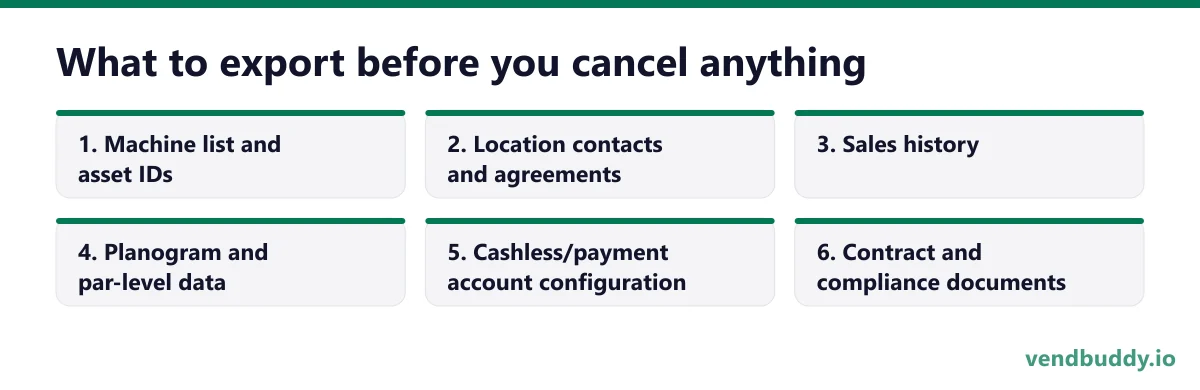
- Machine list and asset IDs. Every machine, its serial number, install date, and current location assignment. This is your master inventory record.
- Location contacts and agreements. Every property contact’s name, phone, email, commission rate, and contract renewal date. Losing this means cold-calling your own locations to rebuild relationships you already have.
- Sales history. At minimum 12 months, ideally the full history, broken down by machine and SKU. This is what lets a new system’s analytics mean anything on day one instead of starting from zero.
- Planogram and par-level data. Which slot holds which product and at what restock quantity, per machine. Rebuilding this from memory across 20+ machines is a multi-week job you can avoid with one clean export.
- Cashless/payment account configuration. Reader IDs, processor account numbers, and settlement history. Get written confirmation from your card-reader provider (Nayax, Cantaloupe, 365Pay) that the hardware can be repointed to a new back-end without a hardware swap — this is the step that most often gets missed.
- Contract and compliance documents. Signed placement agreements, insurance certificates, and any state permit records stored in the platform. See vending contracts 101 for what should be in these agreements regardless of which system stores them.
Export everything as CSV, not a proprietary format, even if the new platform claims to support direct import from your old one — direct-import tools break more often than they work, and a CSV is something you can always open in a spreadsheet as a fallback.
Picture the machines paying you while you sleep
That’s the real promise of vending — income that doesn’t cost you your time, and a life on your own terms. VendBuddy turns this guide into a step-by-step plan so you actually build it instead of just reading about it. Start free today.
Start building free →The migration checklist
- Request a full data export from your current platform’s support team, in writing, with a specific delivery date — don’t rely on a self-service export button alone.
- Verify every exported file opens correctly and spot-check 3–5 machines against your own paper or memory records before you trust the data.
- Confirm your cashless hardware (card readers, telemetry modules) can be repointed to the new platform without replacing physical units.
- Set your old platform’s billing to cancel at the end of the current cycle — not immediately — so you retain access during the transition.
- Import machine list, location contacts, and planogram data into the new platform first; sales history second, since it’s reference data, not operational data.
- Run both systems in parallel for one full billing cycle (typically 30 days) before fully retiring the old one.
- Train whoever restocks your machines on the new interface before cutover day, not after.
- Cancel the old subscription only after you’ve confirmed a full month of clean data in the new system.
VendBuddy lets you import your existing machine list, locations, and sales history in bulk, then handles ROI modeling, location scoring, and restock planning in one place going forward — no more juggling a spreadsheet plus a legacy telemetry app.
The 1-week cutover plan
This assumes a route under 25 machines and data already exported and verified per the checklist above.
| Day 1–2 | Import machine list, location contacts, and planogram data into the new platform. Spot-check every machine record. |
| Day 3 | Import sales history. Confirm totals reconcile against your last month’s bank deposits or processor statements. |
| Day 4 | Repoint or re-register cashless hardware to the new back-end, one machine at a time, testing a live transaction on each. |
| Day 5 | Train your stocker(s) on the new restock and route workflow using real machines, not a demo account. |
| Day 6 | Run one full restock cycle using only the new system while the old one stays live as a backup reference. |
| Day 7 | Compare the day’s numbers between both systems. If they reconcile, set old-platform billing to lapse at cycle end. |
Do not cancel the old platform on day 7. Keep it live and paid through the end of its current billing cycle as a safety net — the incremental cost of one extra month is trivial next to losing sales history you didn’t realize was missing until week three.
Cost comparison: legacy platforms vs. switching
| Platform type | Typical monthly cost | What you get |
|---|---|---|
| Spreadsheet / manual tracking | $0 | No telemetry, no automated restock alerts, hours of manual data entry per week. |
| Legacy route software (VendSoft, Parlevel) | $50–$300+/month depending on machine count | Route and inventory management, often with dated interfaces and per-machine or per-user fees that scale fast. |
| Cantaloupe Seed (telemetry-bundled) | Often bundled with cashless hardware fees, roughly $9–$15/machine/month | Strong telemetry and cashless integration, weaker on the business/growth side (finding locations, modeling ROI, contracts). |
| All-in-one operator platform (e.g. VendBuddy) | Flat monthly plan, not per-machine | Route and business tools together — ROI modeling, location scoring, contracts, restock planning — without a fee that climbs with every new machine. |
The real cost of a legacy platform is rarely the subscription fee itself — it’s the per-machine or per-user pricing that quietly climbs as your route grows, plus the hours spent stitching data between the telemetry tool and a separate spreadsheet for the business side (locations, contracts, ROI). See our breakdown of what vending software actually needs to do for the full picture of where legacy tools fall short.
If you would rather not draft the contract from scratch, we keep a plain-English walkthrough at get vending machine contracts. It covers term, commission, exclusivity and how either side gets out.
Common migration pitfalls
- Canceling the old platform before verifying the export. Once billing lapses, some vendors lock the account within days. Always verify data in hand before you cancel anything.
- Trusting a direct-import tool blindly. Cross-platform importers frequently drop fields silently — a planogram slot mapping or a contact’s email can vanish without an error message. Spot-check after every import.
- Forgetting cashless hardware needs its own migration step. Card readers are often tied to a specific back-end account; moving software without confirming hardware compatibility can leave a machine unable to accept cards for days.
- Switching everyone over on the same day as a busy restock cycle. Stage the cutover around a slower day of your route, not your highest-volume day.
- Not training the stocker before the old system disappears. The person doing the physical work needs to be comfortable in the new system before, not during, the first live restock.
Frequently Asked Questions
Will I lose my sales history when I switch vending software?
Only if you cancel the old platform before exporting. Export sales history, machine data, and location contacts as CSV files first, verify them, and only then cancel your old subscription.
How long does a vending software migration actually take?
For a route under 25 machines with data already exported, budget 5–7 business days for the full cutover, including hardware repointing and stocker training. Larger routes should plan 2–3 weeks.
Can I run two vending software platforms at once during the switch?
Yes, and you should. Run both systems in parallel for one full billing cycle before fully retiring the old one, so you have a fallback if something doesn’t reconcile.
Do I need to replace my card readers when I switch software?
Usually not, but confirm with your cashless provider (Nayax, Cantaloupe, 365Pay) that the hardware can be repointed to a new back-end account. This is the single most commonly missed step in a migration.
Related: see our full vending software buyer’s guide for what to look for beyond a legacy tool, managing multiple platforms at once if you run a mixed micro-market fleet, and the cashless hardware comparison before you repoint any reader. Check average vending machine revenue so you know what your sales-history export should roughly reconcile to, and use the ROI calculator to model the switch’s payback if you’re moving from a per-machine legacy fee to a flat plan.
What is selling, which buildings say yes, and the numbers before you buy a machine. Free, confirm from your inbox, unsubscribe in one click. Refer one friend and get 25 VendBuddy credits.
Walk-ins and cold emails find locations. A small site with your own machine photos and a request-a-machine form lets the next one find you. Around machine three to five, an AI builder drafts it in an evening. Wix is the mature site builder; Base44 also builds working tools like a quote form. Start with the AI website walkthrough or Wix vs Base44.
General information, not legal, tax or financial advice. Rules change, so check the official source. Revenue and income figures are examples, not promises. See our terms.