Free Chrome extension
VendBuddy Location Scout
Looking at a business and wondering if it could take a vending machine? Click the Location Scout icon on its website or map listing. It reads the name, ZIP and type of business from the page, tells you why that kind of venue can work and what to check, and opens Lead Finder so you can find the decision-maker.
Add to Chrome — it’s free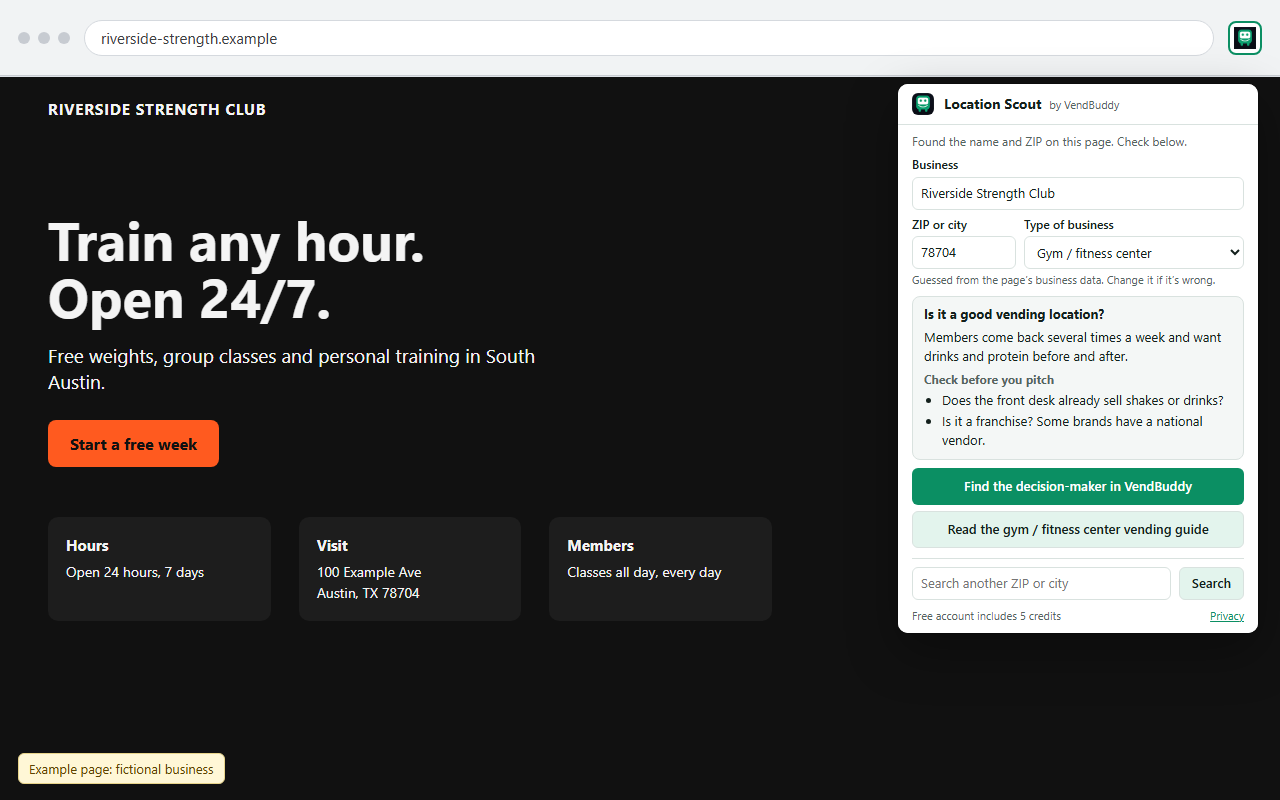
What it does
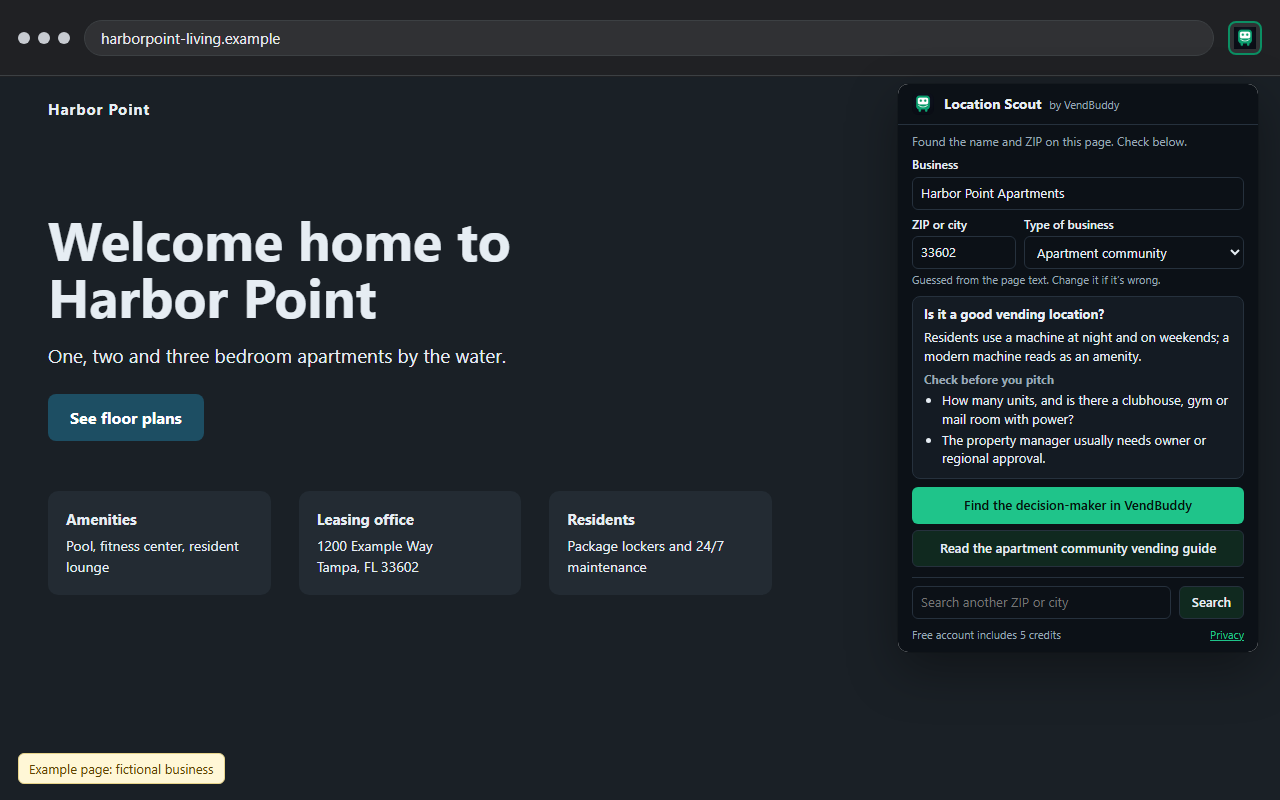
- Reads the business name and ZIP code from the page you are on: schema.org business data, the address on the page, or a Google Maps place panel. You can edit both.
- Guesses the type of business (gym, apartment community, hotel, office, warehouse, urgent care, auto shop, school, laundromat, car wash, church and about 50 more). Change it if the guess is wrong.
- Shows one line on why that venue type can work for vending and two things to check before you pitch, summarized from our location guides by business type.
- Opens Lead Finder for that venue type and ZIP, where you can find the person who says yes. A free account includes 5 credits.
How to use it
- Add the extension to Chrome and pin it to the toolbar.
- Open a business website or a Google Maps place page.
- Click the VendBuddy icon, check the details, and choose Find the decision-maker or Read the guide.
Privacy
Location Scout collects no data. It reads the current page only when you click its icon, keeps what it reads inside the popup, and sends nothing anywhere. It makes no network requests and has no analytics. It asks for two permissions: activeTab and scripting. Details are in our privacy policy.